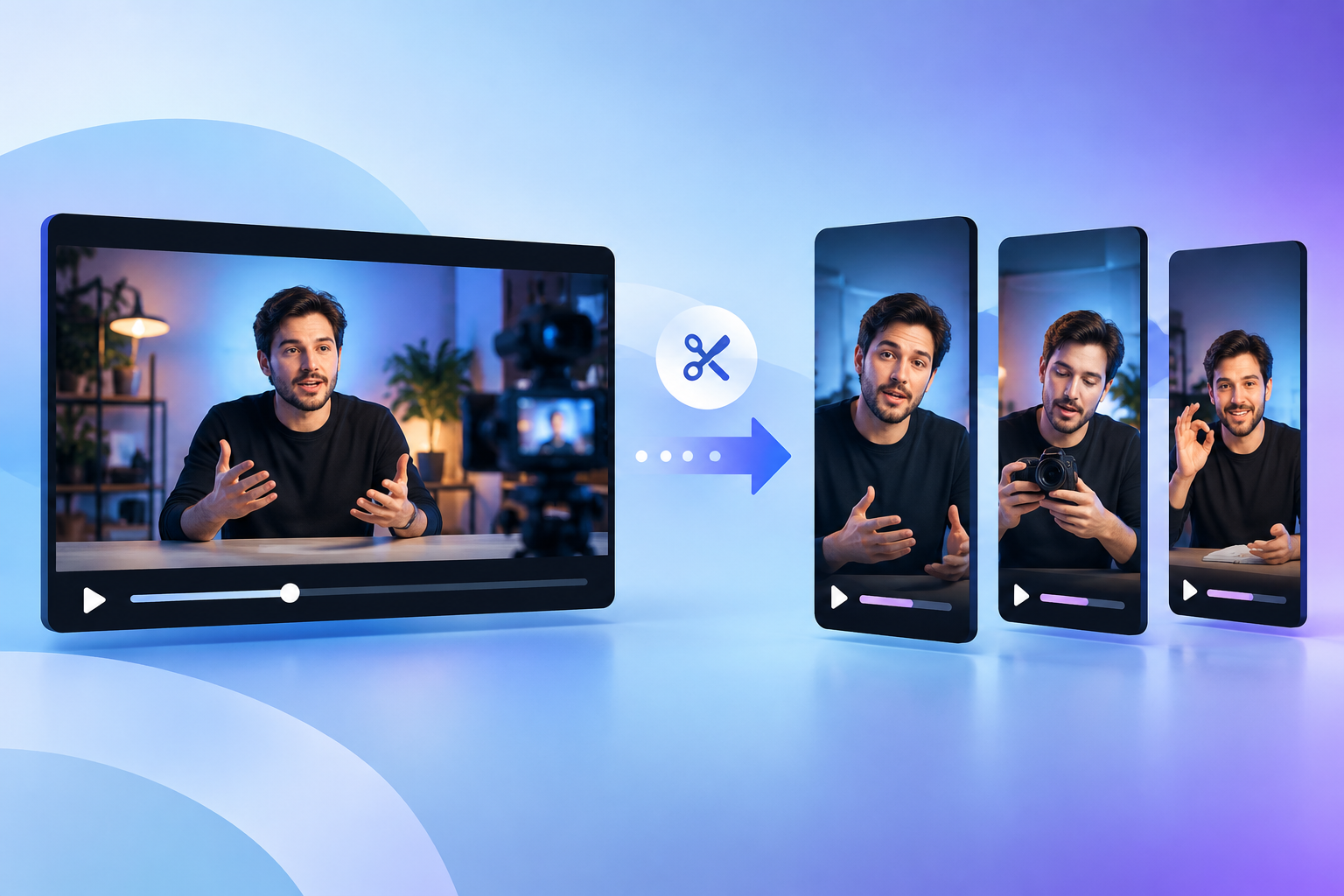
How to turn a long video into shorts starts with finding one clear idea per clip, cutting that moment into a vertical format, adding readable captions, and editing the first seconds so the clip makes sense without the full video. The best process for how to turn a long video into shorts is to work from a transcript or timeline, identify strong moments with standalone value, and package each one for YouTube Shorts, Reels, or TikTok with platform-safe framing and a simple call to action.
Key takeaways
- One clip should carry one idea: A short video usually performs better when it delivers a single takeaway, story beat, reaction, or tip rather than trying to summarize the whole long video.
- The first two seconds do most of the work: A short clip needs an opening cue that tells viewers why they should keep watching.
- Context matters more than length: A 20-second segment can fail if it starts mid-thought, while a 45-second segment can work well if the setup and payoff are clear.
- Reuse is not copy-paste: Turning a long video into short clips means reframing, resizing, captioning, and retitling the content so it fits short-form viewing habits.
If you have a webinar, podcast interview, product demo, livestream, or YouTube upload sitting on your channel, you already have raw material for dozens of short clips. The hard part is not the editing software. The hard part is choosing moments that work out of context. Many creators cut random highlights, post them, and then wonder why the clips feel flat. A short clip needs its own setup and payoff, supported by a clear visual focus. This guide explains how to turn a long video into shorts in a beginner-friendly workflow you can repeat every week. You will learn what to prepare, how to pick the right segments, how to edit for vertical viewing, and how to avoid the mistakes that make short clips look like leftovers. If you are building a wider social media content strategy, this workflow helps you stretch every long-form video further.
What you need before you start
You need a source video, a way to review the transcript or timeline, and a clear goal for each clip before you start cutting. Beginners often open an editor first and start trimming at random. That slows everything down. A better starting point is to decide what the shorts need to do. You may want more reach, more channel discovery, more traffic to the full video, or more social posting volume for your brand. Those goals affect which moments you choose.
Before editing, gather these items:
- Your long video file or link: Use the final published version if possible so your short clips match the public source.
- A transcript or captions file: A transcript makes it easier to spot strong statements, stories, and clean clip boundaries.
- Your target platforms: YouTube Shorts, Instagram Reels, and TikTok may use the same vertical video, but your caption, title, and posting rhythm may change.
- A repeatable posting plan: If you are creating clips for ongoing social media content, decide whether one long video should produce three clips, five clips, or more.
If your long video is an interview, a transcript-based workflow is even more useful because great clips often hide inside a single sentence, not an entire answer. Content teams that work heavily with interviews may also find ideas in conversations like AI and the Future of Content Marketing: A Dynamic Discussion, where one longer discussion can branch into multiple smaller content assets.
Step 1: Decide what kind of short you are making
The fastest way to make better shorts is to choose a clip format before you choose the clip itself. A short clip is easier to edit when you know what job it needs to do. Beginners often treat all clips the same, but a punchy opinion clip needs a different opening than a tutorial clip or a product demo clip.
These formats work well when you turn a long video into short clips:
| Clip type | Best source material | What makes it work |
|---|---|---|
| Quick tip | Tutorials, webinars, training videos | One practical takeaway that viewers can use right away |
| Strong opinion | Interviews, commentary videos, podcasts | A clear statement that makes people stop and listen |
| Moment of tension | Livestreams, interviews, debates | A question, disagreement, or surprising answer |
| Mini story | Case studies, founder videos, behind-the-scenes footage | A beginning, middle, and takeaway in under a minute |
| Demo snippet | Product walkthroughs, screen recordings | One visible before-and-after or one simple feature result |
For example, a 45-minute marketing webinar might produce:
- Three quick tips: One tactic per clip.
- One myth-busting short: A sharp sentence that challenges a common habit.
- One CTA clip: A short ending segment that points viewers to the full video.
If you already publish short-form posts, this is also where an AI social media generator can help with captions and repurposing after the video edit is done. The editing decision still comes first. The software should support the clip strategy, not replace it.
Step 2: Pull the moments that can stand alone
How to turn a long video into shorts depends on finding moments that make sense without the rest of the video. A short clip fails when the viewer feels dropped into the middle of a conversation with no context. The best segments have a clear opening line, one main point, and an ending that lands cleanly.
- Scan the transcript for bold statements. Look for lines that make a claim, answer a question directly, or offer a practical tip.
- Mark emotional shifts. Laughter, surprise, disagreement, and strong reactions usually create natural clip points.
- Avoid long setup sections. If the speaker needs 30 seconds of background before the useful part begins, the clip may need a rewritten opening or it may not be worth using.
- Check for self-contained meaning. Read the candidate segment on its own. If the point is still clear, keep it.
- Batch-select more clips than you need. It is easier to reject weak options later than to stop editing and go hunting again.
A good rule for beginners is to mark clips in three bands:
- 15 to 25 seconds: Good for one-line tips and reactions.
- 25 to 40 seconds: Good for mini explanations.
- 40 to 60 seconds: Good for short stories, examples, and stronger teaching moments.
If your source is a YouTube upload, this step is where the phrase youtube video to shorts becomes practical. You are not trying to shrink the entire YouTube video. You are identifying moments inside the YouTube video that can survive as independent pieces. According to Later’s guide to YouTube Shorts, clear hooks and vertical-friendly editing matter because viewers often decide quickly whether a short is worth staying with.
Step 3: Rewrite the opening so each clip starts clean
The easiest way to improve a short clip is to fix the first line, even if the rest of the segment stays mostly intact. Long-form videos often begin answers with filler such as “yeah,” “so,” or “that’s a great question.” Those openings work in a conversation. They waste space in a short.
When you edit, aim for an opening that does one of these jobs:
- States the result: “This one change made our clips easier to watch on mute.”
- Frames the problem: “Most short clips fail because they start too late.”
- Asks a direct question: “Can one webinar give you ten short videos?”
- Starts with contrast: “The full video explains the theory. This clip shows the exact step.”
You do not need to fake drama. You need clarity. If the original wording is close but not quite right, trim the dead space and add a short text hook on screen. That is often enough. If the source footage allows it, you can also start half a second later or cut to a visual change so the clip feels active from frame one.
This is also where many teams make the jump from long video to short clips at scale. They stop thinking of the original opening as fixed. They treat the clip as a new piece of content with a new beginning. If you publish frequently, it helps to align these clip openings with the tone of your existing social media content so the clips feel consistent across platforms.
Step 4: Edit for vertical viewing and silent autoplay
How to turn a long video into shorts for modern feeds means editing for a vertical screen, readable captions, and viewers who may start on mute. A horizontal clip dropped into a vertical frame without adjustment usually looks lazy and wastes screen space.
- Set the canvas to vertical. The common short-form format is 9:16. Reframe the subject so the face, product, or screen area stays visible.
- Use captions that are easy to read. Keep the text large enough for mobile screens and place it where platform controls will not cover it.
- Cut aggressively. Remove pauses, tangents, repeated phrases, and weak transitions.
- Add visual movement. Zooms, cuts, B-roll, layout changes, or highlighted text keep the clip alive without turning it into noise.
- Check the safe zones. Captions and key visuals should not sit under UI elements such as buttons, usernames, or progress bars.
If the source video is screen-heavy, consider one of two fixes. First, crop tightly around the area people need to see. Second, turn the clip into a text-led short where the voice carries the idea and the screen serves as supporting proof. This works well for software demos, analytics explainers, and slide-based webinars.
Buffer notes in its YouTube Shorts guide that short-form videos benefit from clear editing choices that respect mobile viewing. That matters because a short clip competes against a rapid feed, not against your full-length video page.
If you want tool support for clip extraction, ContentPod offers a Video Clip Creator that suggests and exports short clips from long videos. The tool is available on Pro and Team plans only, so it fits best when you are producing clips regularly rather than experimenting once.
Step 5: Package each short for YouTube Shorts and other feeds
A finished edit still needs the right title, caption, and publishing context to work as a short. Packaging matters because viewers often see the clip before they know who you are or what the original video covered.
For youtube video to shorts workflows, use these packaging rules:
- Make the title specific: “The biggest mistake in webinar clipping” is stronger than “Marketing advice.”
- Use on-screen text as support, not a transcript dump: One headline at the start and clear captions through the clip are enough.
- Add a light CTA: Point viewers to the full video, channel, product page, or next clip without turning the short into an ad.
- Write a platform-aware caption: A YouTube Short title can differ from an Instagram caption even if the video file is identical.
One practical workflow is to create a clip package template with four fields: hook line, file name, title, and CTA. That keeps each short organized and makes batching easier. If your team also creates graphics, seeing how AI visuals are framed in posts such as AI craftwashing in advertising can sharpen your sense of how packaging changes audience perception even when the source material stays the same.
Step 6: Follow one worked example from long video to short clips
A worked example makes how to turn a long video into shorts easier to apply because you can see where the decisions happen. Imagine you have a 38-minute interview with a founder about content production. The goal is to create four YouTube Shorts and reuse them on Instagram Reels and TikTok.
- Start with the transcript. You scan the interview and highlight lines where the founder says something direct, such as “Most teams record enough content for a month but post only once.”
- Choose four clip types. You pick one opinion clip, two quick tips, and one mini story about a publishing mistake.
- Trim the setup. The original answer starts with “I think one thing a lot of teams miss is...” You cut that and begin with “Most teams record enough content for a month but post only once.”
- Reframe for vertical. The speaker is centered, the captions sit above the bottom UI area, and a short headline appears in the first second.
- Add a clean ending. The clip ends right after the main point lands, followed by one line of CTA text such as “Full interview linked on channel.”
- Repeat with the next segment. The second clip might answer “How many shorts should one webinar produce?” The third shows an example. The fourth tells a short failure story with a takeaway.
From one 38-minute interview, you now have four short videos with different angles. That is a better outcome than uploading one generic highlight reel. If you want to keep repurposing after the clips are exported, ContentPod’s Interview Repurposing Tool can turn one interview into multiple text formats such as a blog post, X thread, email newsletter, LinkedIn post, and executive summary. That can help you build a broader promotion plan around the video clips.
Step 7: Fix the mistakes that make short clips feel weak
Most problems with short clips come from context gaps, weak openings, or visual framing that ignores the mobile screen. If your shorts are not holding attention, you can usually spot the issue by watching the first five seconds with the sound off.
Watch for these common mistakes:
- Starting too late: The viewer hears half a sentence and has no idea what the topic is.
- Starting too early: The clip spends its first seconds on greetings, filler, or throat-clearing.
- Using a clip that depends on prior context: “That strategy worked for us” means nothing if the strategy was explained two minutes earlier in the full video.
- Ignoring the frame: Faces are too small, slides are unreadable, or captions block the important visual.
- Posting one clip and stopping: Shorts work best as a repeated process. One long video should feed several posting opportunities.
If you are stuck, run a simple test. Show the clip to someone who has not seen the original video and ask two questions: “What was the point?” and “Would you keep watching after the first two seconds?” Their answers will tell you more than another round of tiny edits.
Also remember that the clip does not need to carry every detail from the source. A short clip often works because it creates enough clarity to stand alone and enough curiosity to send viewers to the full video. That balance is what turns clipping from busywork into a repeatable distribution system.
Conclusion: Making the Most of how to turn a long video into shorts
How to turn a long video into shorts is less about shrinking footage and more about rebuilding moments so they work on their own. The repeatable workflow is simple: choose the clip type, find a self-contained moment, give it a clean opening, edit for vertical viewing, then package it for the platform where it will appear. If you follow that order, one webinar, podcast, interview, or demo can produce multiple useful assets instead of one forgotten upload.
If you want help with the surrounding content workflow, ContentPod can support repurposing across articles, captions, and clip creation tools, especially if you are already turning interviews and long videos into a steady stream of posts. Start with one long video this week, pull five candidate moments, and test which clip structure gets the clearest response. That is the fastest way to learn how to turn a long video into shorts for your audience, not someone else’s.
Bottom line: how to turn a long video into shorts works best when each clip delivers one clear idea, opens fast, and is edited as a standalone vertical video rather than a leftover piece of the original.
Frequently Asked Questions
What is how to turn a long video into shorts?
How to turn a long video into shorts is the process of taking a full-length video, identifying self-contained moments inside it, and editing those moments into short vertical videos for platforms such as YouTube Shorts, Instagram Reels, and TikTok. The process usually includes trimming the clip, rewriting the opening, adding captions, resizing for mobile viewing, and giving each short its own title or caption.
How long should a short clip be when I cut up a long video?
A short clip should be only as long as the idea needs to be clear. Many useful clips land between 15 and 60 seconds, but the right length depends on whether the segment is a tip, a reaction, a story, or a demo. A 20-second clip with a clean hook and payoff often works better than a 50-second clip with a slow start.
Can I turn one YouTube video into several Shorts?
One YouTube video can often become several Shorts if the original video contains multiple distinct points, stories, or answers. A tutorial may produce one short per step, an interview may produce one short per opinion or lesson, and a webinar may produce one short per audience question. The better approach is to cut several focused clips instead of one rushed summary clip.
References & Further Reading
- YouTube Shorts Guide
- How to Use YouTube Shorts
- YouTube Shorts Guide for Creators
- How to Use YouTube Shorts for Your Brand
Put this into practice
Share this post
You Might Also Like
Discover more content tailored to your interests
 Highly Relevant
AI Craftwashing in Advertising in Dior’s Holiday Push
AI craftwashing in advertising is the practice of presenting AI-assisted creative work as if it were mainly human-made, handmade, or artisan-led in order to borrow the trust that people attach to visible craft.
Read More Highly Relevant
How Product Recommendations for Creators Reshape Content
Product recommendations for creators are algorithmic suggestions that decide which products, shops, affiliate links, and creator-led posts get shown to which audiences based on behavior and context, including predicted interest.
Read More
AI Logo Ideas: Prompts and Styles Worth Testing Now
AI logo ideas are concept directions and prompt formulas you can use with an image or logo generator to create brand marks, wordmarks, icons, mascots, and badges that fit your audience, niche, and content style.
Read MoreReady to create amazing podcast content?
Choose a plan and start generating professional podcast content with AI
View Pricing Plans