What Google AI Agent for Families Means in CC App
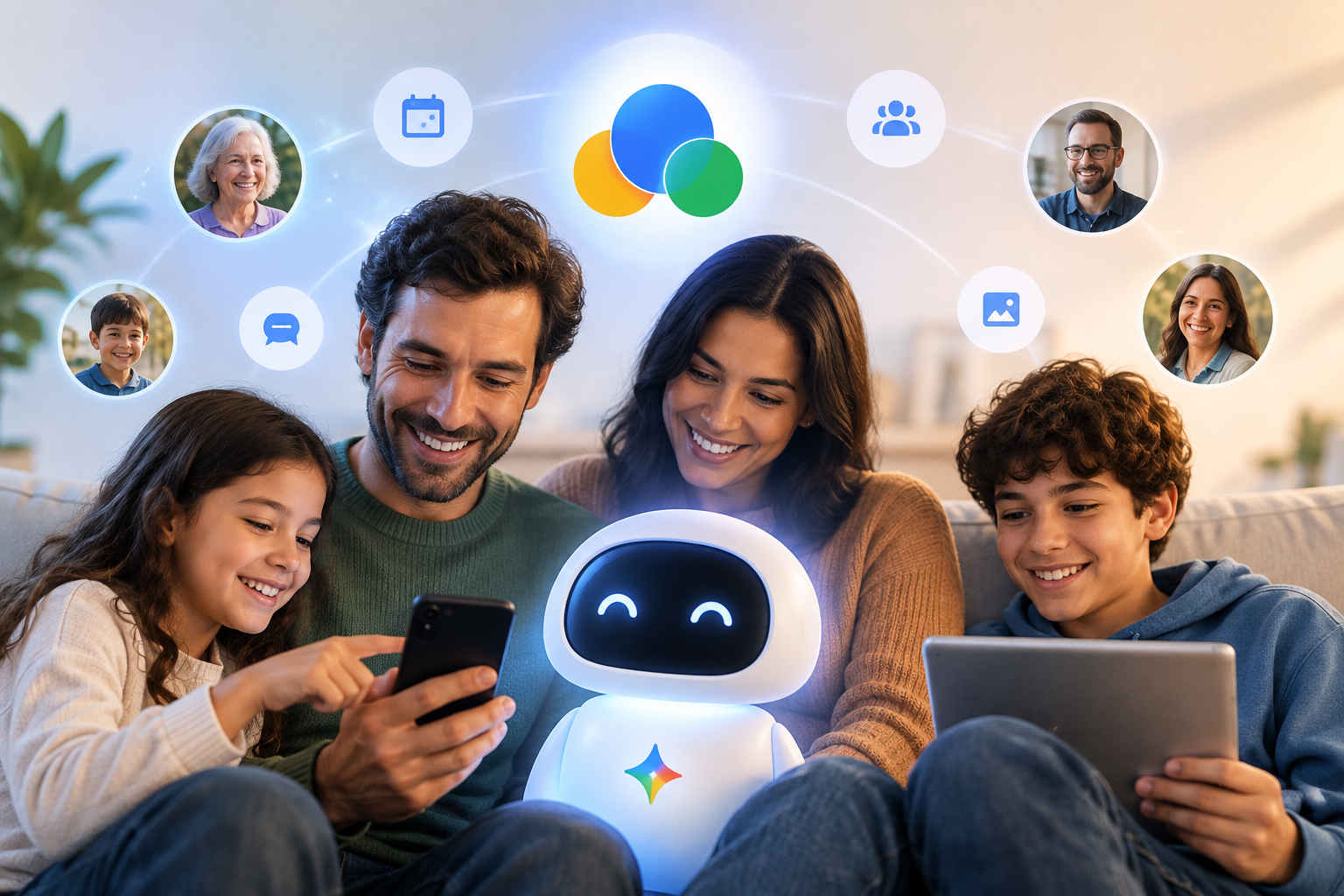
Google AI agent for families refers to an AI assistant built into shared communication that can help households and small groups summarize chats, organize plans, surface decisions, and reduce message overload. Google’s revamped CC app matters because it points toward messaging that does more than carry conversation. It may turn conversation into coordinated action for parents, kids, caregivers, roommates, and friend groups.
Key takeaways
- The CC redesign suggests a move from messaging to coordination: A Google AI agent for families matters most when it converts long threads into summaries, reminders, and shared decisions.
- Family communication is a high-fit use case for AI agents: Repetitive planning work such as pickups, meal decisions, travel checklists, and scheduling is structured enough for automation and messy enough to benefit from it.
- Good defaults matter more than flashy features: The value of Google family messaging AI depends on permissions, visibility, correction tools, and clear boundaries around what the agent may post or infer.
- Group trust is the limiting factor: A Google AI agent for families will work only if everyone understands when the AI is summarizing, when it is suggesting, and when a real person still needs to confirm the decision.
A Google AI agent for families is easiest to understand as a layer between chat and task management. Instead of asking everyone to read 87 messages about dinner, pickup, weekend plans, and doctor appointments, the app can pull out the decisions, list the open questions, and suggest the next step. That shift is why the Google CC app update matters beyond product design. If you manage a household, a school parent thread, a travel group, or a caregiving circle, you need to know where AI helps, where it interrupts, and what rules you should set before you invite an agent into group messages. This article breaks down what the shift means, where the value is real, and how to use a Google AI agent for families without turning every chat into a compliance exercise.
1. Why the CC redesign points to an agent, not just a chat app
The main meaning of the CC redesign is that Google appears to be treating communication as a workflow problem, not only a messaging problem. A normal chat app stores messages in order. A Google AI agent for families would instead watch for intents inside those messages: a request for pickup, a loose dinner plan, a change in arrival time, or a question that still needs an answer. That is a different product category. It sits closer to a household coordinator than a simple inbox.
You can already see why this direction matters. Family and group communication is repetitive, asynchronous, and full of missing context. One person joins late and asks what was decided. Another misses the school form in a stack of jokes and side comments. A roommate reads the plan but forgets the shopping list. The practical promise of a Google AI agent for families is that the app can keep the conversation human while taking over the clerical work.
This shift also matches a broader move across AI products. The interesting question is no longer whether a model can answer prompts. The interesting question is whether the product can handle multi-person coordination without making the group feel watched. That is why product teams and marketers who follow ContentPod should pay attention. Messaging apps are becoming action layers, and that changes what users expect from every shared digital space.
- From transcript to summary: The app’s value increases when it can tell a late-arriving parent, “Pickup moved to 5:30, Maya needs cleats, and no one has bought snacks yet.”
- From reminders to resolution: A Google AI agent for families is more useful when it can ask the one unanswered question instead of posting another generic reminder.
- From individual help to shared context: AI in family chats matters because plans usually fail from mismatched understanding, not from lack of messaging volume.
2. Where Google AI agent for families can save time every week
A Google AI agent for families saves time when the group repeats the same planning patterns often enough for AI to recognize them. The highest-value use cases are boring on purpose. You do not need cinematic future scenarios. You need fewer missed pickups, fewer duplicate grocery runs, and fewer “what did we decide?” replies.
Think about the household tasks that create low-grade friction every day. School logistics, sports schedules, pet care, bills, travel plans, appointments, birthday coordination, and meal planning all generate chat traffic that contains hidden tasks. A Google AI agent for families can pull those tasks out of the thread and turn them into a digest. That is more useful than another chatbot tab that requires everyone to stop and type formal prompts.
For teams that publish or advise on AI adoption, the same pattern shows up outside the home. Repetitive coordination is where models often help first. If you want a parallel example from another domain, Why synthetic data generation for enterprise works explains how AI becomes useful when it is attached to a concrete operational problem rather than a vague promise. And if you need a cautionary counterweight, Why companies restricting AI models keep tightening shows why governance matters once AI starts touching sensitive communications.
According to NIST’s AI Risk Management Framework, trustworthy AI requires attention to reliability, privacy, accountability, and transparency. Those principles apply directly to a Google AI agent for families. If a household relies on AI summaries, the summaries need to be visible, editable, and clearly marked as machine-generated.
Practical weekly wins may include:
- Morning coordination: The app summarizes schedule changes before school or work starts.
- Shared errands: The agent turns a scattered conversation into one shopping list and assigns who is buying what.
- Trip planning: The app gathers dates, confirms who booked what, and lists missing items without requiring a separate planning tool.
3. How Google AI agent for families changes group chat etiquette
A Google AI agent for families changes etiquette because people start writing for both humans and the model. Once AI can summarize and suggest actions, wording matters more. A joke can look like a commitment. A casual “I can probably do pickup” can get turned into a task. A frustrated comment can become part of a summary that sounds more definite than the original message.
This means households and friend groups may need a few lightweight norms. You may want one chat for logistics and another for casual conversation. You may want to reserve a tag such as “final” or “confirmed” for decisions the agent can safely include in a recap. You may also want a simple rule that the AI may suggest, but only a person can mark a plan complete. Those distinctions keep a Google AI agent for families from turning normal ambiguity into accidental commitments.
The etiquette issue also matters for anyone building or writing about AI communication products. Users rarely object to automation in the abstract. They object when the system changes the social temperature of the conversation. That is one reason the interview The Future of AI in Business: From Hype to Reality is relevant here. AI succeeds when it fits how people already make decisions, not when it asks every group to behave like a project management board.
If Google pushes further into AI agents for group chats, expect better controls around:
- When the agent may speak: Some groups will want suggestions only on demand.
- Who sees what: Parents, children, caregivers, and guests may need different views.
- How corrections work: A Google AI agent for families needs a fast “wrong summary” button, not a buried feedback form.
4. Comparing Google AI agent for families with other AI group communication tools
A Google AI agent for families stands out if it lives inside an existing communication habit instead of asking your group to adopt a whole new workflow. That is the real comparison point. Most people do not need another standalone planner. They need the current thread to become easier to use.
The market for AI group communication tools is converging on a few common functions: summarize, schedule, remind, search, and draft. What differs is where the AI sits. Some tools live inside workplace suites. Some act like assistants that wait for commands. A Google AI agent for families would be strongest if it is present at the moment of conversation and can respond to group context without everyone switching apps.
| Approach | What it does well | Where it struggles |
|---|---|---|
| Standalone chatbot | Answers direct questions and drafts text quickly | Misses live group context unless users keep copying messages in |
| Workplace collaboration AI | Handles meetings, documents, and formal tasks | Often feels too rigid for households and casual groups |
| Google AI agent for families inside chat | Keeps planning attached to the conversation where decisions happen | Needs careful permission controls and clear boundaries on what counts as a decision |
A useful comparison from outside messaging is how AI systems need focused scope before users trust them. The post Dario Amodei AI slowdown and the case for caution makes a related point in broader AI terms. Progress is not only about bigger models. It is also about when to narrow the job, reduce risk, and earn trust one workflow at a time.
- Example 1: A parent group chat benefits if the AI can identify a final field-trip deadline, summarize volunteer slots, and ask only the missing questions.
- Example 2: A travel group benefits if the AI can separate brainstorming from confirmed bookings and keep one list of arrival times, costs, and tasks.
5. How to set up Google AI agent for families without creating chaos
A Google AI agent for families works best when you set boundaries before you test features. Most failures come from process confusion, not model quality. If everyone assumes the AI knows what counts as final, private, urgent, or optional, the group will spend more time correcting the system than benefiting from it.
Start small. Use one thread with one purpose for two weeks. Try school logistics, a travel weekend, or a caregiving schedule. Do not use your most emotionally loaded conversation first. If you publish guidance for users or brands, this is also where a neutral explainer from ContentPod can help frame AI as operational support rather than magic.
- Pick one use case: Choose a recurring coordination problem such as pickups, groceries, or appointment planning. A Google AI agent for families is easier to evaluate when success is obvious.
- Define what the AI may do: Allow summaries, reminders, and draft checklists first. Delay auto-posting decisions or assigning responsibility until the group trusts the system.
- Create a confirmation rule: Decide that only messages marked “confirmed” or sent by specific people can become tasks. This reduces false commitments.
- Review permissions: Check who can see archives, summaries, and reminders, especially if children, caregivers, or temporary participants are in the thread.
- Measure effort, not novelty: The right question is whether the Google AI agent for families removes follow-up messages and missed details, not whether the suggestions sound impressive.
If you manage communication in a family business, club, or creator team, the same setup principles apply. Keep the AI close to the work, narrow the task, and make correction easy.
6. Risks to watch in Google family messaging AI
The biggest risk in Google family messaging AI is false confidence. People often trust a clean summary more than a messy thread, even when the summary leaves out nuance. That risk gets sharper in family or small-group settings because the communication mixes logistics, emotion, humor, and personal context.
A Google AI agent for families can create problems in four predictable ways. First, it may infer a commitment from a tentative message. Second, it may surface sensitive information too broadly in a summary. Third, it may flatten disagreement, which makes a thread look resolved when it is not. Fourth, it may train the group to stop restating important details, assuming the AI will catch everything.
This is where discipline matters more than novelty. The OpenAI safety page at openai.com/safety/ and Anthropic’s news and research archive at anthropic.com/news are useful reminders that modern AI systems still need human oversight, especially in ambiguous or sensitive contexts. A Google AI agent for families should help your group think less about logistics, not think less carefully.
Watch for these mistakes:
- Using one thread for everything: When logistics, arguments, jokes, and finances all mix together, the AI has more chances to misread the intent.
- Assuming summaries are neutral: Every summary is a selection. If a detail matters, confirm it in plain language.
- Skipping privacy checks: Shared communication often includes children’s schedules, medical appointments, and addresses. Review settings before the convenience becomes a risk.
Conclusion: Making the Most of Google AI agent for families
The useful way to think about a Google AI agent for families is simple: it is a coordination assistant, not a replacement for judgment. Google’s revamped CC app matters because it suggests a future where family and group communication is organized at the point of conversation. That can save time, reduce confusion, and help people act on shared information faster. It can also create friction if the AI is allowed to infer too much or speak too often.
If you want the upside, start with one contained workflow, define what counts as a real decision, and keep human confirmation in the loop. If you write about AI adoption, product strategy, or communication design, this is the kind of shift worth tracking closely on ContentPod. A Google AI agent for families will succeed when it removes coordination work without changing the tone of how real people talk to each other.
Bottom line: Google AI agent for families is most useful when it turns busy group chats into clear, editable next steps while leaving final decisions to the people in the conversation.
Frequently Asked Questions
What is Google AI agent for families?
Google AI agent for families is an AI assistant embedded in shared family or group communication that can summarize conversations, identify tasks, suggest reminders, and keep track of decisions. The idea matters because household communication often fails from missed context, and a well-designed agent can reduce that friction without forcing people into a separate planning tool.
How is a Google AI agent for families different from a normal chatbot?
A Google AI agent for families differs from a normal chatbot because it is tied to an ongoing shared thread and can use group context to organize plans. A normal chatbot waits for one user to ask a question, while a family communication agent can track scheduling changes, summarize discussions, and surface open decisions across multiple participants.
Should you let AI make decisions in family or group chats?
You should let AI suggest options, summarize decisions, and draft reminders, but you should keep final approval with a person. A Google AI agent for families is most reliable when it handles clerical work and clearly labels suggestions, while people still confirm commitments, privacy-sensitive details, and any message that changes a plan.
References & Further Reading
Put this into practice
Share this post
You Might Also Like
Discover more content tailored to your interests
 Highly Relevant
How AI Technical Debt Problems Spread Through Codebases
AI technical debt problems are the maintenance, reliability, security, and architecture costs that build up when AI systems generate code faster than teams can review, test, document, and own it.
Read More Highly Relevant
Why Anthropic Model Rivals Fable on Enterprise Cost
Anthropic's model is being pitched as close enough in quality to a premium frontier model that cost-conscious enterprises may switch or diversify. The real test for buyers is whether the model delivers acceptable output on their highest-volume tasks while lowering total operating cost and governance overhead.
Read More Highly Relevant
AI Risks to Global Security at the U.N. Briefing 2026
AI risks to global security are the ways advanced AI systems can increase cyberattacks, accelerate disinformation, lower barriers to biological or weapons misuse, and outpace the laws meant to control them. In the AI briefing to the U.N.
Read MoreReady to create amazing podcast content?
Choose a plan and start generating professional podcast content with AI
View Pricing Plans