Podcast Transcript Example Formats That Actually Work
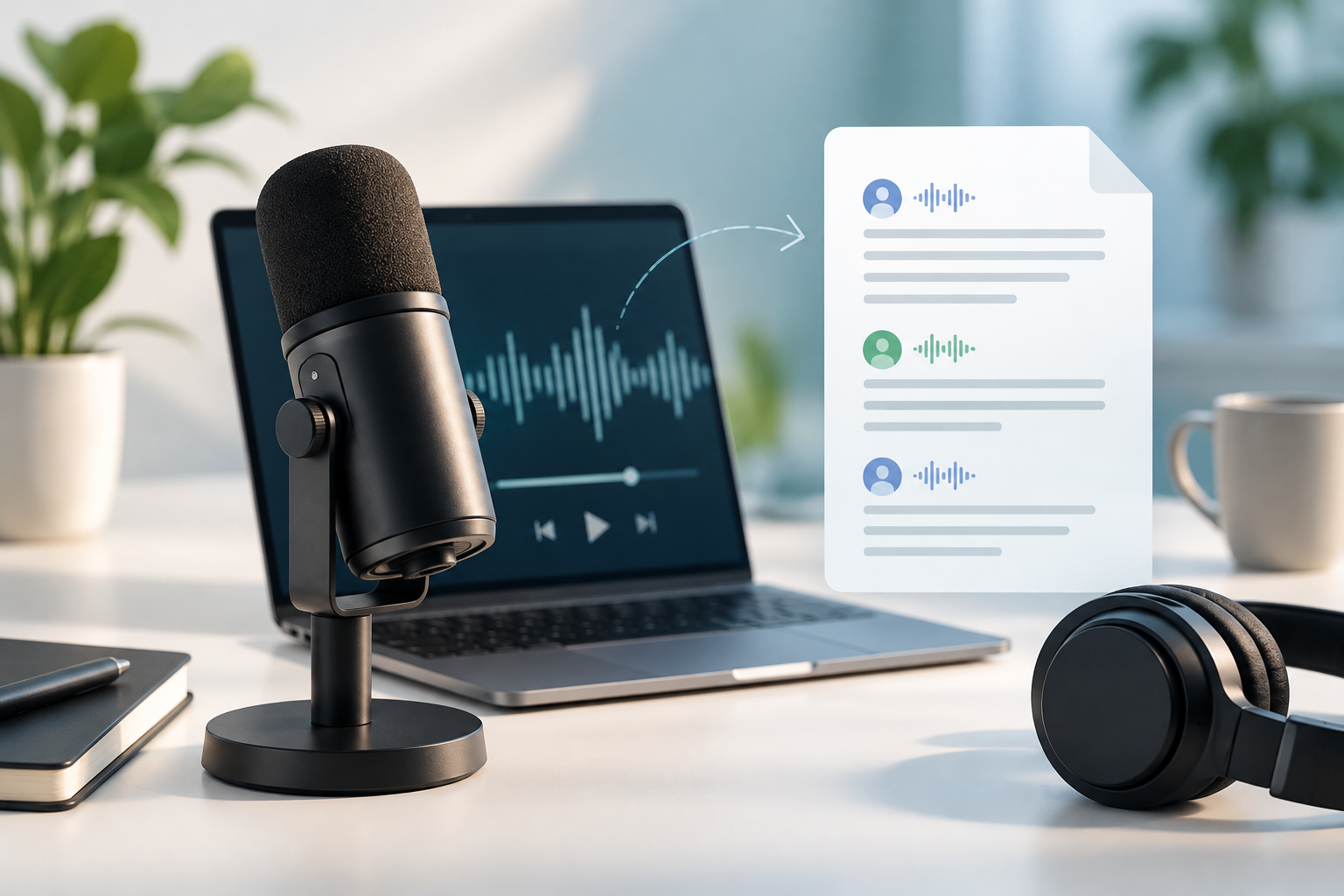
A podcast transcript example is a written version of spoken audio that shows how to format speaker names, timestamps, edits, and paragraph breaks so listeners and readers can follow an episode without pressing play. The right format depends on your goal: accessibility, SEO, repurposing, or publishing a clean on-page transcript.
Key takeaways
- A transcript is more than raw text: A usable podcast transcript includes speaker labels, paragraph breaks, and enough structure for a reader to scan the conversation.
- The best format depends on the job: Verbatim transcripts work for records and accessibility, while lightly edited transcripts usually work better for web publishing.
- Timestamps should be intentional: Adding timestamps every 30 to 60 seconds or at topic shifts helps readers and editors without cluttering the page.
- A transcript can feed other content: A well-structured transcript is a strong starting point for a blog post, FAQ, social posts, and clips.
If you have ever copied audio into text and ended up with one long, unreadable wall of words, the problem is not transcription alone. The problem is format. A useful podcast transcript example shows where to break lines, when to include timestamps, how to label speakers, and what to do with filler words. This guide gives you examples you can copy, adapt, and publish. You will also see when a plain transcript is enough, when a cleaned-up version reads better, and how transcript structure fits into broader AI podcast and interview content workflows.
1. A simple solo episode podcast transcript example
A simple solo episode transcript is the easiest format to publish because there is only one speaker and the structure stays clean.
Example:
[00:00] Host: Welcome back to the show. Today I am answering a question I hear from new creators all the time. Should you script your podcast word for word, or should you speak from bullet points?
[00:18] Host: My short answer is this. Most beginners do better with a loose outline. A full script can sound stiff if you are not used to reading aloud.
[00:33] Host: I use a three-part outline for solo episodes. First, state the problem. Second, explain the process. Third, give the listener one clear next step.
[00:49] Host: If you freeze up during recording, keep a short intro and outro scripted, then improvise the middle section from notes.
Why it works: This format is easy to scan because each paragraph covers one idea, the timestamps are spaced far enough apart to stay readable, and the single speaker label removes confusion. If your goal is to publish a transcript under a solo episode page, this is usually enough.
How to adapt it: Keep timestamps at topic changes, not every sentence. If your episode is under ten minutes, you can often use four to eight timestamp breaks. If you want more ideas for planning short episodes before you transcribe them, this guide to solo podcast ideas pairs well with a simple transcript workflow.
2. A lightly edited podcast transcript example for readability
A lightly edited transcript is usually the best podcast transcript format for a public website because it reads like natural speech without every hesitation and filler word.
Example:
Host: Welcome back. Today I am answering a common question from new podcasters: should you script every word or use bullet points?
Host: A bullet-point outline is easier for most people. A full script can sound stiff unless you have experience reading aloud.
Host: A simple structure works well. Open with the problem, explain your process, and close with one action the listener can take today.
Host: If you get stuck while recording, script the opening and closing lines. Speak more freely in the middle.
Why it works: This version removes repeated words such as “um,” “you know,” and false starts, but it does not rewrite the speaker into a different voice. Most readers want clarity more than total verbatim accuracy when they land on a transcript page from search.
How to adapt it: Use this style if you publish the transcript on your site or plan to send it into a repurposing workflow such as podcast content production. If you want to compare formats before choosing one, this table gives a quick decision frame:
| Format | Best for | What to remove | What to keep |
|---|---|---|---|
| Verbatim | Legal record, research, exact quote review | Nothing | Every word, pause marker, interruption |
| Lightly edited | Website transcripts, SEO, reader experience | Filler words, repeated starts, obvious verbal clutter | Meaning, voice, sequence of ideas |
| Timestamped | Editing, review, clips, long interviews | Only clutter that hurts clarity | Time markers, speaker labels, topic turns |
3. A timestamped podcast transcript example for guest interviews
A timestamped interview transcript is the most useful option when you need readers, editors, or team members to find exact moments in a longer conversation.
Example:
[00:00:03] Host: Welcome to the show. Today I am joined by Alex, who runs content for a B2B software company.
[00:00:10] Guest: Thanks for having me. I spend most of my time turning customer conversations into articles, emails, and sales materials.
[00:00:23] Host: When did you start recording interviews as part of your content process?
[00:00:29] Guest: We started after we noticed that subject matter experts were willing to talk for twenty minutes, but not write for two hours.
[00:00:44] Host: What changed once you had those recordings?
[00:00:47] Guest: We had source material we could quote, summarize, and reuse across multiple channels.
Why it works: Timestamps make long interviews manageable. They also make fact-checking easier because you can jump to the exact point in the audio. This matters if you are quoting a guest in a newsletter, article, or social post later.
How to adapt it: Use full hour-minute-second timestamps for episodes longer than 30 minutes. If the interview is short, minute-second format is enough. If you are deciding between human-led and AI-led recordings before you even create a transcript, the comparison in ai interview vs human interview will help you choose the right source material.
4. A multi-speaker roundtable transcript format that stays readable
A roundtable transcript needs stronger labeling because readers get lost quickly when three or more voices appear in one block of text.
Example:
Host: Today we are talking about launch content. I am joined by Mia from product marketing and Jordan from customer success.
Mia: The first problem in most launches is volume. Teams try to create every asset at once.
Jordan: I see the same thing from the customer side. Buyers usually need a handful of clear answers, not a huge content pack.
Host: If you had to pick one asset to create first, what would it be?
Mia: A customer-facing FAQ.
Jordan: I would pick a short demo clip plus the FAQ.
Why it works: Each speaker gets a consistent short label, and each new turn starts on its own line. That sounds obvious, but it is the single change that makes a roundtable transcript usable.
How to adapt it: If two speakers have similar names, shorten them in distinct ways, such as “Mia P.” and “Mia R.” If one speaker interrupts often, you can note that with brackets only when it changes meaning, such as “[laughs]” or “[overlapping conversation].” Do not mark every interruption unless you need a verbatim record.
5. A Q&A podcast transcript example for expert-led episodes
A Q&A transcript format works well when the episode is built around direct questions and clear, self-contained answers.
Example:
Question: What is a podcast transcript?
Answer: A podcast transcript is a text version of everything spoken in an episode. It may be verbatim or lightly edited for readability.
Question: Why publish one?
Answer: A transcript helps with accessibility, on-page search relevance, and content reuse. It also gives readers a way to scan the discussion before committing to the full episode.
Question: When should timestamps be added?
Answer: Timestamps are useful when the episode is long, has multiple speakers, or will be clipped and repurposed later.
Why it works: A Q&A structure turns spoken material into an indexable format that search engines and answer engines can parse easily. The questions also double as subtopics you can reuse in FAQs, social posts, or article sections.
How to adapt it: This format is especially useful if your raw material comes from interviews. You can see the style in practice in featured conversations like AI and the Future of Content Marketing: A Dynamic Discussion, where question-led structure makes later reuse simpler.
6. A podcast transcript example you can turn into a blog post
A transcript becomes easier to repurpose when you break the conversation into sections with mini-headlines, clear topic shifts, and strong quotes.
Example:
Section 1: The problem
Host: Why do teams struggle to publish regularly?
Guest: They start from a blank page too often.Section 2: The process
Host: What works better?
Guest: Record one focused interview, extract the best parts, and adapt each part for a specific format.Section 3: The takeaway
Host: What should someone do this week?
Guest: Pick one recent call or episode and turn it into one article, one FAQ, and two social posts.
Why it works: This structure already resembles a draft. Instead of staring at raw audio text, you have clear sections that can become blog headings or newsletter blocks.
How to adapt it: If your next step is written content, move from transcript to article while the recording is fresh. The workflow in podcast to blog post explains how to reshape spoken language into a readable article without flattening the original voice. If you want tool support, ContentPod includes an Article Writer, FAQ Builder, and AI Refine tools that can help you clean and expand source material after transcription.
7. A podcast transcript format for accessibility and on-page scanning
A transcript written for accessibility should be easy to navigate, predictable in structure, and plain in its labeling choices.
Example:
Episode title: How to plan a first podcast episode
Speakers: Host, Guest
Transcript:
Host: What should a beginner prepare before recording?
Guest: Prepare the episode goal, the main questions, and the closing call to action.
Host: How detailed should those questions be?
Guest: Detailed enough to keep the conversation on track, but short enough that the host can still listen and respond.
Why it works: A reader who uses assistive technology benefits from consistent labels and simple ordering. The W3C guidance on transcripts explains that transcripts should make spoken information and relevant non-speech audio available in text. For many podcast pages, that means keeping the transcript plain rather than decorating it with visual tricks.
How to adapt it: Add a brief note for meaningful non-speech cues only when they matter, such as “[music fades in]” or “[audience laughter].” According to Edison Research’s Infinite Dial, podcast listening remains a mainstream behavior in the United States, which makes accessible publishing a practical baseline, not a side task.
8. An editorial podcast transcript example for teams that repurpose content
An editorial transcript format is best when more than one person will use the transcript for articles, newsletters, clips, or social posts.
Example:
Episode: Customer onboarding mistakes
Speaker tags: Host, Guest
Pull quotes:
- Quote 1: “Most onboarding content fails because it answers the company’s questions, not the customer’s.”
- Quote 2: “If the first five minutes are confusing, the rest of the product does not get a fair chance.”
Topic segments:
- Why onboarding content gets ignored
- What new users need first
- How to turn support calls into better content
Editor notes: Use Quote 1 in the newsletter intro. Clip segment 2 for social video. Expand segment 3 into a help-center article.
Why it works: This is more than a transcript. It is a working document. A content team can pull from it without re-listening to the full episode. That saves time when one recording needs to support several assets.
How to adapt it: Add pull quotes, segment labels, and editor notes after the raw transcript is cleaned. If interview-led content is a regular part of your process, these workflows appear often in guides for interview-based content marketing saas teams and in roundups of tools like an ai podcast generator like notebooklm. The key is not the tool itself. The key is whether the output gives you reusable structure instead of raw text alone.
Conclusion: Making the Most of podcast transcript example
The right podcast transcript example gives you a model you can repeat. If you only need a readable page under an episode, a lightly edited transcript with clear speaker labels is usually enough. If you plan to quote guests, make clips, or repurpose interviews into articles, timestamps and section labels save work later. Start with one format from this guide, create a simple style rule for your episodes, and use the same structure every time. If you want help turning transcripts into publishable assets, ContentPod can fit into that workflow with writing and repurposing tools built around recorded conversations.
Bottom line: A good podcast transcript example is one that matches your publishing goal, stays easy to read, and makes the next content step easier.
Frequently Asked Questions
What is a podcast transcript example?
A podcast transcript example is a sample document that shows how spoken audio from a podcast episode should appear in text. A useful podcast transcript example includes speaker labels, readable paragraph breaks, and sometimes timestamps so you can copy the structure for your own show.
What is the best podcast transcript format for beginners?
The best podcast transcript format for beginners is a lightly edited transcript with speaker names and paragraph breaks at each topic shift. That format is easier to publish on a website than a full verbatim transcript because readers can scan it quickly without getting stuck on filler words and repeated starts.
Should you clean up filler words in a podcast transcript?
You should clean up filler words in a podcast transcript when the transcript is meant for a website, article source file, or reader-facing page. You should keep filler words only when exact wording matters for legal review, research, or a verbatim archive, because public-facing transcript pages usually benefit from cleaner text.
References & Further Reading
- W3C Web Accessibility Initiative: Transcripts
- Buzzsprout: Podcast Transcription
- Riverside: Podcast Transcription
- Spotify for Creators
Put this into practice
Share this post
You Might Also Like
Discover more content tailored to your interests
 Highly Relevant
Best AI Podcast Generator Like NotebookLM Picks
An ai podcast generator like notebooklm is a tool that turns source material or a script into spoken audio, often with AI voices, conversational structure, and editing support.
Read More
AI Interview vs Human Interview: Pros, Cons, Use Cases
Ai interview vs human interview is a decision between speed, consistency, and scale on one side, and rapport, judgment, and nuance on the other.
Read More
How to Turn a Podcast to Blog Post Guide
A podcast to blog post process means turning a recorded episode into a structured article by transcribing the audio, choosing one clear angle, organizing the strongest points, and editing the draft for search intent and readability.
Read MoreReady to create amazing podcast content?
Choose a plan and start generating professional podcast content with AI
View Pricing Plans